IMMAR
A student mobile app and an operational web dashboard that must never be the same product — and one permission model holding the line between them.
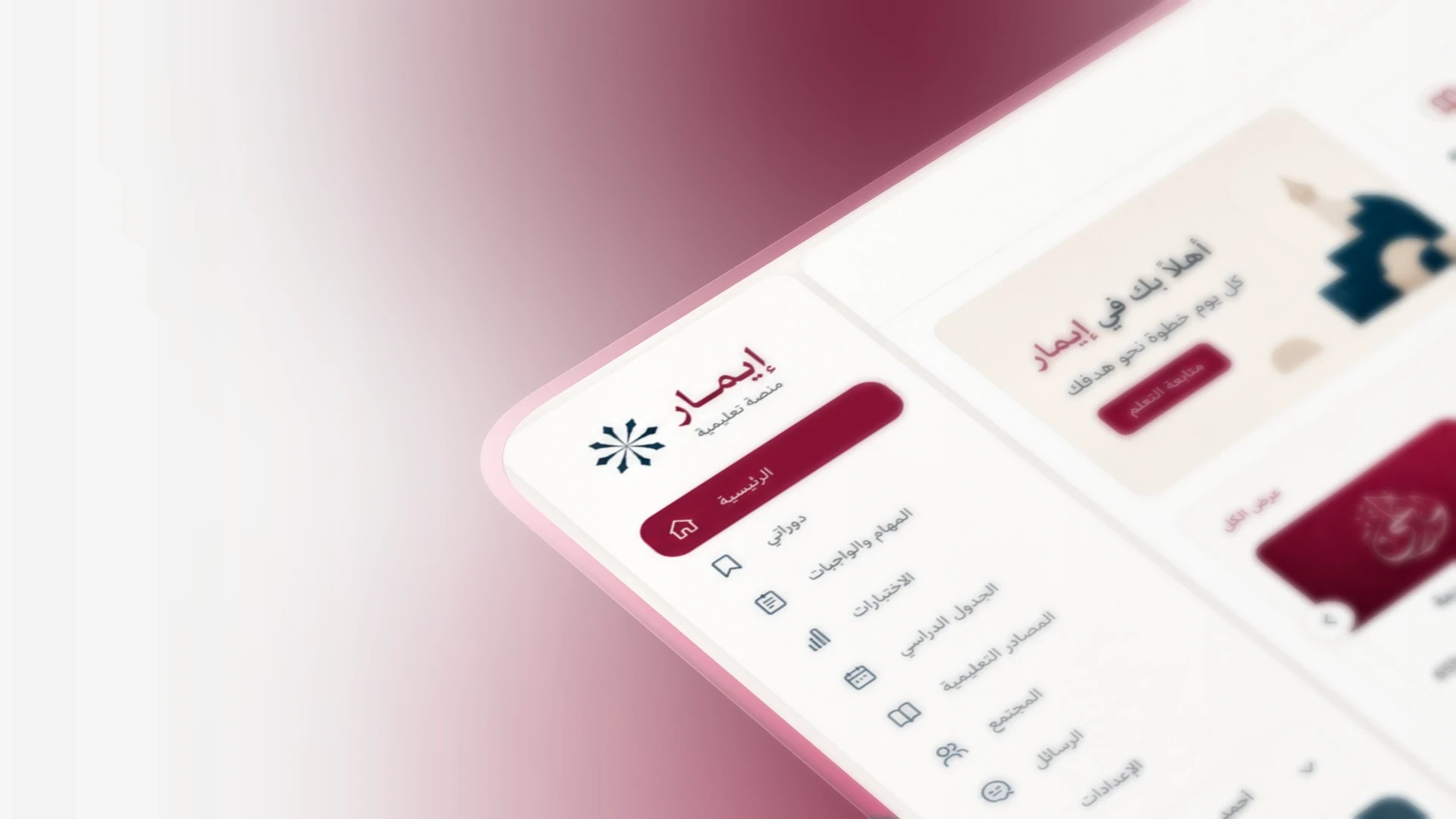
The interface above is a presentation mockup of the product, not a screenshot captured from a running system. The interface compositions further down this page are built from the platform’s real module structure — these are private client and commercial platforms.
- Role
- Product planning · Full-stack engineer
- Year
- 2025—2026
- Status
- Delivered · Private platform
- Category
- Product
IMMAR is a bilingual Arabic/English e-learning ecosystem: a Flutter application for students, and a separate web dashboard for administrators, teachers and authorised teacher staff. I planned the product, defined roles, permissions and session rules, and built the dashboard against a .NET modular-monolith API.
The problem
A multi-teacher education platform has two incompatible pressures. Students need a fast, focused, mobile learning surface. Teachers and administrators need dense operational tooling — attendance, assessments, finance, activation codes, reporting. Building one interface for both produces a product that serves neither.
The outcome
Two deliberately separate clients over one permission model — with the rule that a student account can never authenticate into the web dashboard enforced in the system, not in documentation.
Stack
- ASP.NET Core 8
- C#
- Entity Framework Core
- PostgreSQL
- Clean Architecture
- JWT
- RBAC
- Flutter
- React
- TypeScript
- REST API
- Docker
Two products, one system
The defining decision in IMMAR was made before any interface was designed: students would get their own application, and the web dashboard would never be for them.
It is tempting to build one responsive web application and give every role a filtered view of it. That approach fails quickly here. A student on a mid-range Android phone opening a lesson has almost nothing in common with an administrator reconciling activation codes and settlements across multiple teachers. Their sessions differ, their security requirements differ, and their failure modes differ.
Roles and permissions
IMMAR is multi-teacher. A teacher owns their content and their students; teacher staff act on a teacher’s behalf within limits; administrators operate the platform across everyone. Getting that hierarchy wrong exposes one teacher’s material — or one teacher’s revenue — to another.
| Category | Admin | Teacher | Teacher staff | Student (mobile) |
|---|---|---|---|---|
| Web dashboard access | Yes | Yes | Yes | No |
| Publish course content | Yes | Yes | Partial | No |
| Assessments & grading | Yes | Yes | Partial | No |
| Attendance records | Yes | Yes | Yes | No |
| Activation codes | Yes | Partial | No | No |
| Financial operations | Yes | Partial | No | No |
| Consume lessons & assignments | No | No | No | Yes |
Two surfaces, two design problems
The student application
Built in Flutter and designed around a single question: what am I studying next? Content, assignments and assessments are reachable in as few taps as possible, and the app has to stay usable on an inconsistent mobile connection.
The operational dashboard
Designed for density and repetition. Teachers and staff work through long lists of students, submissions, attendance and codes, so the dashboard is optimised for scanning and bulk action rather than for a guided journey.
Arabic and English are treated as equal materials rather than a base language and a translation. Both directions were designed, not derived: the dashboard’s navigation, tables, date handling and form flow each have an authored RTL behaviour, and technical identifiers stay left-to-right inside Arabic screens.
Backend architecture
The API is an ASP.NET Core 8 modular monolith with a strictly one-way dependency flow. Domain knows nothing about persistence or HTTP; Application holds services, DTOs, validators and provider ports; Infrastructure implements them; the API layer only composes. That constraint is what keeps a platform with this many modules from turning into a single tangled service.
Domain
No EF, no DI, no HTTP
- Entities
- Enums
- Interfaces
Application
Business services and contracts
- Services
- DTOs
- Validators
- Provider ports
Infrastructure
Persistence and adapters
- DbContext
- Migrations
- Seeders
- JWT / OTP / hashing
API
Composition only
- Controllers
- Middleware
- Swagger
- Health checks
- 01
Activation
A student redeems an activation code that grants access to specific content rather than to the platform generally.
- 02
Device binding
The session is tied to a device, so a single account cannot be shared across an unlimited number of phones.
- 03
Authorisation
Every content request is checked against the student’s entitlements — not just against being logged in.
- 04
Delivery
Video and materials are served through the protected pipeline, with the entitlement re-evaluated rather than cached indefinitely.
Engineering decisions
- Challenge
One account shared across a class defeats the entire commercial model of a paid education platform.
DecisionDevice and session management binds an active session to a device, with administrative controls to reset it when a student legitimately changes phone.
Trade-offAdds a support workflow — but the alternative is a platform teachers will not publish to.
- Challenge
Permissions written as code checks scattered across controllers become impossible to audit.
DecisionPermissions, system roles and settings are seeded as catalogued data, so the access model can be read as a table instead of inferred from source.
Trade-offRequires disciplined seeding and migration hygiene on every release.
- Challenge
A demo environment with real-looking accounts is a production security risk waiting to happen.
DecisionDevelopment seed accounts are gated so they can never be created in a production environment.
Trade-offSlightly more configuration per environment, and no chance of a well-known password reaching production.
Result
- Status
Delivered · Private platform
- Clients
Flutter student app + web dashboard
- My role
Product planning and full-stack delivery
- Languages
Arabic and English, full parity
IMMAR is the project that convinced me most of my job is drawing boundaries. The hard parts were not the modules — courses, quizzes, attendance, finance are all solvable. The hard part was deciding what each role is allowed to see and holding that line while the feature list grew.
Next case study
Building something in this space?
I am available for a limited number of projects. Tell me what you are working on.